There is a simple setup process to follow during your first use of your school device.
When you start your laptop up, the first two screens will ask you to choose your Region and Language. (English, and United Kingdom, are selected by default.)
The third screen will ask about adding additional keyboard layouts. You can skip this.
You will now be asked to connect to a network.
If you are in school, connect to the Solihull WiFi using your school username and password.
If you are at home, connect to your home Wi-Fi.
You should then see the screen below, enter your school email address and click Next.
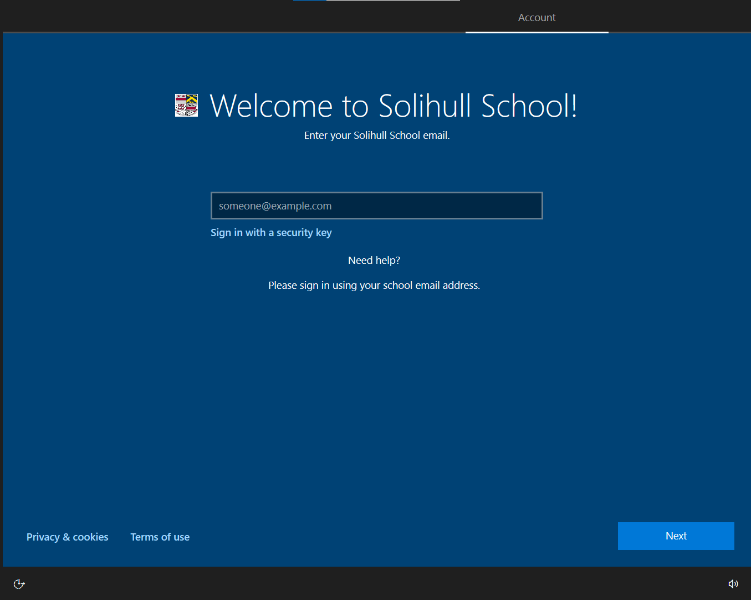
When prompted, enter your school password.
Your device will then install basic apps, and configuration policies. This will take approximately 20 minutes. Please keep your device connected to Wi-Fi during this time.
Once complete, use your school log-in to access your device.
By accepting this device you have agreed that you will be responsible for it.
Was this article helpful?
That’s Great!
Thank you for your feedback
Sorry! We couldn't be helpful
Thank you for your feedback
Feedback sent
We appreciate your effort and will try to fix the article