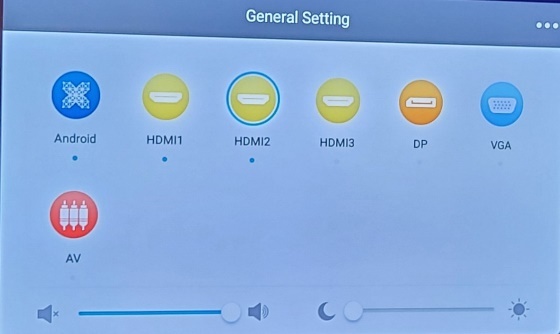
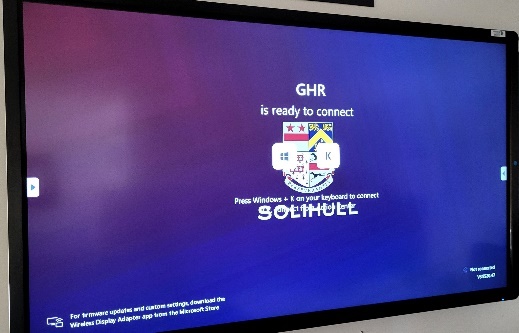
1 | Swipe up from the bottom of the screen and select HDMI 2.
You should see ‘Ready to Connect’ message.
|
|
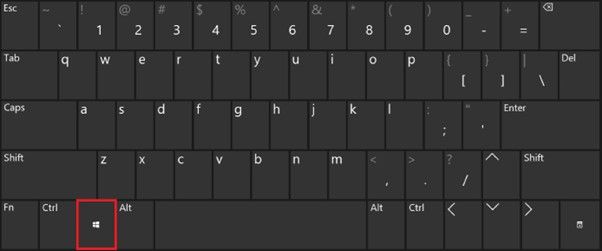
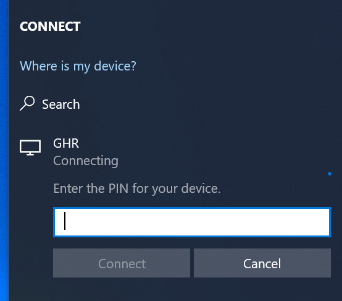
2 | On your Windows laptop device (not desktop) press the Windows Key + K.
|
|
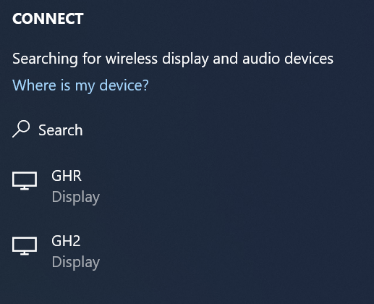
3 | Select the name that matches the one displayed on your screen.
|
|
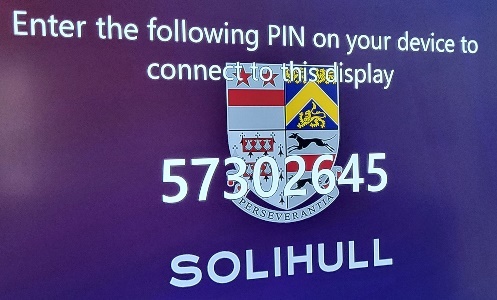
4 | Enter the pin that is displayed and click Connect.
You will only need to do this once per screen.
|
|
For any assistance please contact the IT Helpdesk on help@solsch.org.uk
Was this article helpful?
That’s Great!
Thank you for your feedback
Sorry! We couldn't be helpful
Thank you for your feedback
Feedback sent
We appreciate your effort and will try to fix the article