Branching allows you to set a form up so that more information can be gained based on one answer. Likewise, questions can be hidden if they are not applicable.
1. Create a multiple-choice question.
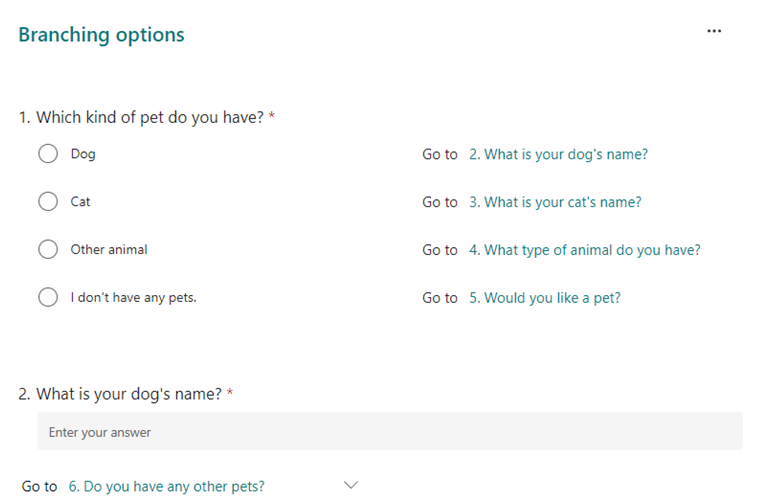
e.g. ‘Which kind of pet do you have?’ Answers would be ‘Dog’ or ‘Cat’ etc…
2.Create additional questions that pertain to the answers to Question 1.
e.g. ‘What is your dog’s name?’ ‘What is your cat’s name?’
3. Click on your first question, click ‘…’ and then ‘Add branching’
4. Next to each option of your multiple-choice question, choose which question you want to move to next.
e.g. After ‘Dog’ Go to ‘What is your dog’s name?
5. After each branched question choose which question appears next.
By default this is set to ‘Next’ (Question) set this to the next relevant question.
e.g. a dog owner would not need to answer ‘What is your cat’s name?’
Was this article helpful?
That’s Great!
Thank you for your feedback
Sorry! We couldn't be helpful
Thank you for your feedback
Feedback sent
We appreciate your effort and will try to fix the article